
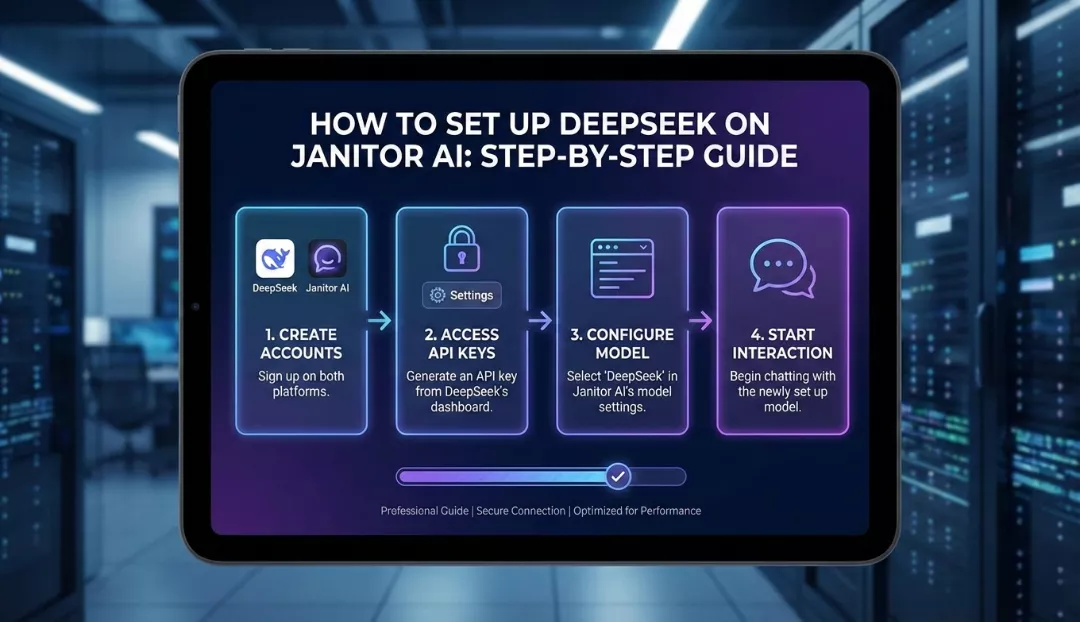
To set up DeepSeek on Janitor AI, you must first generate an API key from the DeepSeek open platform or an aggregator like OpenRouter. Once you have your key, open a chat in Janitor AI, navigate to API Settings, and select OpenAI (or Custom/Proxy depending on your interface version). Change the API URL to https://api.deepseek.com/v1, paste your API key, and manually input the model name—use deepseek-chat for the V3 model or deepseek-reasoner for the R1 logic model. Save your settings to begin chatting with high-level reasoning and significantly lower costs than GPT-4.
Why DeepSeek is the New King of Janitor AI
Janitor AI users are constantly hunting for the “Goldilocks” Large Language Model (LLM): one that is smart enough to handle complex roleplay, creative enough to avoid repetition, and cheap enough to run for hours.
Enter DeepSeek.
DeepSeek-V3 and DeepSeek-R1 have disrupted the industry by offering GPT-4 class performance at a fraction of the price. For roleplay enthusiasts, DeepSeek is particularly attractive because it offers a massive context window (128k tokens), meaning your character won’t forget the plot twists from 50 messages ago. Furthermore, its “compliance” filters are often seen as less intrusive than OpenAI’s or Claude’s, making it a favorite for the unrestricted storytelling nature of Janitor AI.
Prerequisites: What You Need Before You Start
Before diving into the settings, ensure you have the following:
- A Janitor AI Account: Logged in and ready to chat.
- A DeepSeek Platform Account: You can sign up at
platform.deepseek.com. - Credits: Unlike OpenAI, DeepSeek is prepaid. You typically need to load a minimum of $2 to $5 USD onto your account. Given how cheap the model is, $5 can last a heavy user for months.
Method 1: The Direct Connection (Best Performance & Lowest Cost)
This method connects Janitor AI directly to DeepSeek’s servers. It provides the lowest latency and the cheapest price per token.
Step 1: Generate Your API Key
- Go to the DeepSeek API Platform.
- Navigate to API Keys on the left sidebar.
- Click Create new API key.
- Name it (e.g., “JanitorAI”) and copy the key starting with
sk-.... Do not lose this; you cannot see it again.
Step 2: Configure Janitor AI
- Open Janitor AI and select a character card.
- Click the API Settings (usually the top right header menu).
- Select OpenAI as your provider. (We use the OpenAI slot because DeepSeek is “OpenAI Compatible”).
- Look for the Custom Model or Proxy checkbox.
Step 3: The Critical Settings
Enter the following details exactly. If you get the URL wrong, the bot will return a “Failed to Fetch” error.
| Setting | Value | Note |
| API Key | sk-................ | Paste your DeepSeek key here. |
| API URL / Base URL | https://api.deepseek.com/v1 | Crucial: Do not forget the /v1. |
| Model ID | deepseek-chat | This uses DeepSeek-V3 (Best for storytelling). |
| Model ID (Alt) | deepseek-reasoner | This uses DeepSeek-R1 (Best for logic/puzzles). |
Pro Tip: Most users should stick to
deepseek-chat(V3). Thedeepseek-reasoner(R1) model is brilliant, but it “thinks” before it speaks, which can sometimes break the immersion of a roleplay by outputting its internal monologue before the character’s dialogue.
Method 2: The OpenRouter Method (Easier Access to R1)
If you prefer using OpenRouter (which allows you to swap between Claude, GPT, and DeepSeek using a single key), use these settings.
- Get Key: Go to OpenRouter.ai, add credits, and create a key.
- Janitor Settings: Select OpenAI or Custom Proxy.
- URL:
https://openrouter.ai/api/v1 - Model:
- DeepSeek V3:
deepseek/deepseek-chat - DeepSeek R1:
deepseek/deepseek-r1 - DeepSeek R1 (Free):
deepseek/deepseek-r1:free(Note: The free version is often congested/slow).
- DeepSeek V3:
Optimizing Your Experience: The “Sweet Spot” Settings
DeepSeek behaves differently than GPT-4 or Claude. If you use the default settings, you might find the bot becoming repetitive or “looping.” Use these optimized parameters for the best roleplay experience.
Temperature Guide
The “Temperature” controls the creativity. Too low, and the bot is robotic. Too high, and it hallucinates nonsense.
| Model | Recommended Temp | Use Case |
| DeepSeek-V3 | 1.0 – 1.3 | DeepSeek V3 is naturally “safe.” Higher temp (1.3) pushes it to be more creative and breaks loops. |
| DeepSeek-R1 | 0.5 – 0.7 | R1 is volatile. Keep the temperature lower (0.6 is official advice) to keep its reasoning coherent. |
Context Settings
- Context Size: Set this to 16384 (16k) or higher if Janitor allows. DeepSeek supports up to 128k, but 16k is usually the “Goldilocks” zone for Janitor AI to remember the current scene without slowing down generation.
- Max Tokens: Set to 0 (Unlimited) or roughly 500-800. Setting this too low cuts the bot off mid-sentence.
DeepSeek vs. The Competition: 2025 Statistics
Is switching really worth it? The data suggests yes, primarily for your wallet.
| Feature | DeepSeek-V3 | GPT-4o | Claude 3.5 Sonnet |
| Cost (Input/1M Tokens) | $0.14 | $2.50 | $3.00 |
| Cost (Output/1M Tokens) | $0.28 | $10.00 | $15.00 |
| Context Window | 128k | 128k | 200k |
| Roleplay Style | Fluid, adaptive, less “moralizing” | High quality, but prone to “As an AI…” refusals | Excellent prose, strict filtering |
| Logic/Reasoning | High (Top tier) | High | High |
The Takeaway: You can send roughly 20x more messages on DeepSeek for the same price as GPT-4o.
Troubleshooting Common Errors
Even with a perfect setup, things can go wrong. Here is how to fix the most common DeepSeek errors on Janitor AI.
1. “Failed to Fetch” or “Endpoint Error”
- Cause: You likely typed the URL wrong.
- Fix: Ensure the URL is exactly
https://api.deepseek.com/v1. Some users forget thehttps://or the/v1.
2. The Bot Speaks for You
- Cause: DeepSeek V3 is very compliant and enthusiastic; sometimes it tries to write the whole story.
- Fix: Add a line to your Advanced Prompts / Jailbreak section:[System Note: Write only from the perspective of {{char}}. Do not write dialogue or actions for {{user}}. Stop the response immediately after {{char}}’s action is complete.]
3. DeepSeek-R1 Outputting <think> Tags
- Cause: You are using the Reasoner model, which prints its thought process.
- Fix: You cannot turn this off via API settings easily on Janitor yet. You either have to manually ignore the “Thought” block or switch back to the
deepseek-chat(V3) model for a cleaner chat interface.
4. “Context Limit Reached”
- Cause: Your chat is too long for the allocated context.
- Fix: Go to settings and increase your “Context Size” to 16k or higher.
Conclusion
Setting up DeepSeek on Janitor AI is one of the best upgrades you can make for your roleplay experience in 2025. It combines the intelligence of top-tier models with a price point that makes it almost free for casual users. By using the deepseek-chat model with a temperature of roughly 1.3, you unlock a highly creative, responsive, and unrestricted partner for your stories.
Ready to upgrade? Head over to DeepSeek’s platform now, grab that $5 credit, and breathe new life into your favorite characters.