
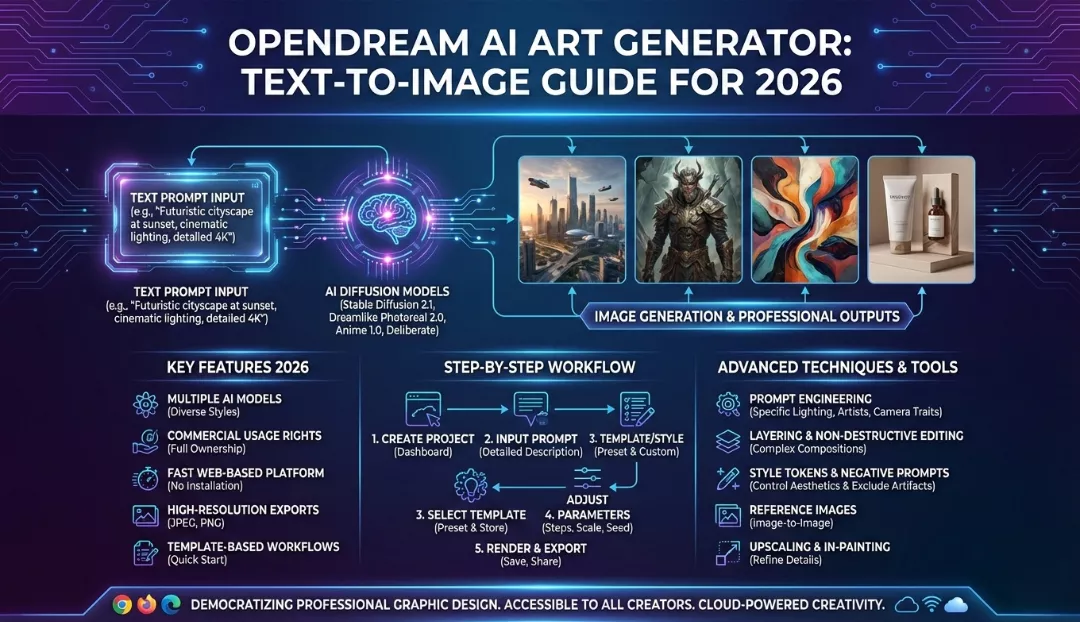
Opendream AI is a user-friendly, web-based art generator that enables users to create high-quality visual assets from simple text prompts in seconds, utilizing advanced diffusion models like Stable Diffusion and custom anime checkpoints. In 2026, it stands out as a top choice for both beginners and professionals due to its intuitive interface, generous free tier (typically offering daily credits), and robust features like batch generation, image upscaling, and full commercial rights for created assets, making it an accessible alternative to more complex tools like Midjourney or locally hosted Stable Diffusion.
Introduction: The Democratization of Art in 2026
The landscape of digital creation has shifted dramatically. Two years ago, generating high-fidelity AI art required expensive GPUs or navigating complex Discord servers. Today, tools like Opendream have smoothed the learning curve, placing the power of a digital studio into any web browser.
Whether you are a social media manager needing daily content, an indie game developer prototyping assets, or a hobbyist exploring digital surrealism, Opendream offers a compelling mix of power and simplicity. This guide serves as your comprehensive handbook for mastering Opendream in 2026, moving beyond basic prompts to professional-grade workflows.
Why Opendream? Core Features and Capabilities
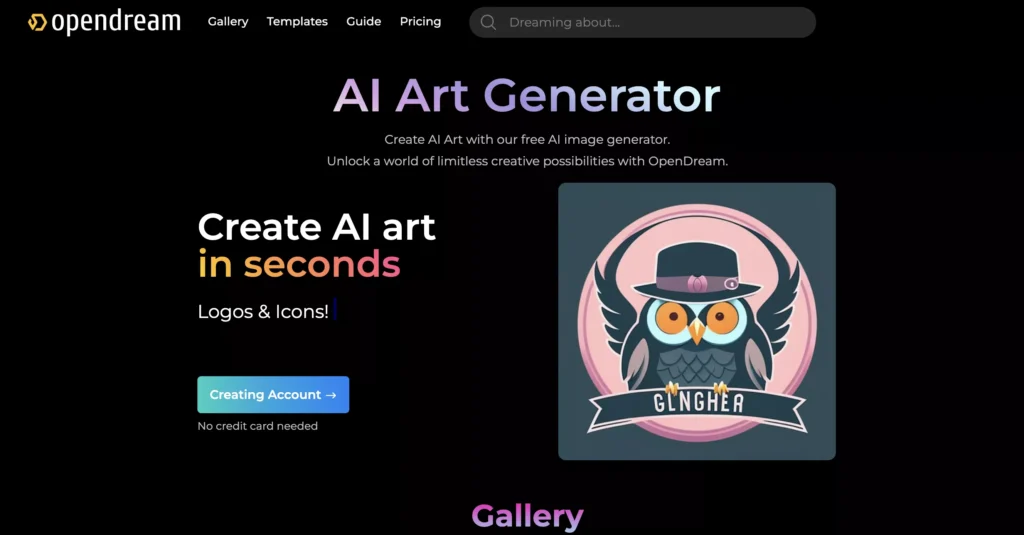
Opendream is not just another wrapper for Stable Diffusion; it has evolved into a full-service creative suite. Here is what makes it tick in the current market.
1. Multi-Model Flexibility
Unlike platforms locked into a single aesthetic, Opendream aggregates various checkpoints. You can switch between:
- Photorealism V2: For stock-photo quality images, perfect for marketing and mockups.
- Anime/Manga V4: A highly tuned model for stylized, cel-shaded, or 2.5D character designs.
- General Art: A balanced model that handles painterly styles, oil, watercolor, and digital illustration.
2. Smart Template Library
One of the biggest hurdles in AI art is “blank canvas syndrome.” Opendream solves this with a library of thousands of community-tuned templates. Instead of guessing prompt weights, you can click a style you like—say, “Cyberpunk Cityscape”—and the system auto-populates the prompt parameters. You simply swap the subject (e.g., change “city” to “coffee shop”) and hit generate.
3. Edit and Refine (In-painting & Upscaling)
Creation is rarely perfect on the first try. Opendream includes:
- In-painting: Use a brush to erase a specific part of an image (like a weirdly formed hand) and ask the AI to regenerate just that spot.
- Upscaling: Turn a standard 512×512 generation into a 4K ready-to-print image without losing sharpness.
4. Commercial Rights Ownership
A critical feature for 2026: You own what you create. Unlike some free tools that retain copyright or restrict commercial use, Opendream’s terms generally allow paid and free users (check specific tier limits) to use their outputs for commercial projects, merchandise, and advertising.
Step-by-Step Guide: From Text to Masterpiece
Let’s walk through a real-world workflow. Imagine we want to create a “Futuristic sneaker design for a marketing campaign.”
Phase 1: The Setup
- Login: Navigate to the Opendream website. You can usually log in via Google or Discord.
- Dashboard: You will see a text box (the prompt area) and a sidebar for settings.
Phase 2: Crafting the Prompt
The “human touch” in AI art comes from how you talk to the machine.
- Basic Prompt:
Futuristic sneaker, neon colors.(Result: Generic, likely boring). - 2026 Pro Prompt:
Product photography of a high-tech sneaker, cyberpunk aesthetic, bioluminescent sole, floating in zero gravity, studio lighting, 8k resolution, highly detailed texture, unreal engine 5 render.
Phase 3: Adjusting Settings
Before you hit “Generate,” look at your sidebar:
- Aspect Ratio: Choose 2:3 for Instagram Stories or 16:9 for YouTube thumbnails. For our sneaker, 1:1 (Square) is classic.
- Guidance Scale (CFG): This controls how strictly the AI follows your text.
- Lower (5-7): More creative freedom for the AI.
- Higher (8-12): Strictly follows your words. Set this to 9 for product design.
- Negative Prompt: This is crucial. Tell the AI what you don’t want.
- Input:
blurry, low quality, distorted shoelaces, bad anatomy, watermark, text.
- Input:
Phase 4: Generation and Iteration
Click Generate. In seconds, you will get 2-4 variations.
- Tip: If you like the composition of Image A but the colors of Image B, you cannot “merge” them easily, but you can use the Seed number of Image A to try and recreate that composition with slightly different prompt words (e.g., changing “neon blue” to “neon red”).
Comparison: Opendream vs. The Titans (2026 Edition)
How does Opendream stack up against the heavy hitters?
| Feature | Opendream AI | Midjourney v7 | Stable Diffusion (Local) |
| Ease of Use | High (Web interface, templates) | Medium (Discord/Web alpha) | Low (Requires technical install) |
| Cost | Free tier + Affordable Subs ($10-$24) | Expensive ($10-$120/mo) | Free (if you have the hardware) |
| Speed | Fast (Cloud GPU) | Fast | Varies by your GPU |
| Control | High (In-painting built-in) | Medium (Vary Region) | Extreme (ControlNet, LoRAs) |
| Hardware | Runs on any browser/phone | Runs on Discord/Web | Requires powerful PC (NVIDIA) |
| Best For | Marketers, Beginners, Web Users | High-end Art, Abstract | Developers, Power Users |
The Verdict: Choose Midjourney if you need the absolute highest artistic fidelity regardless of cost. Choose Stable Diffusion if you are a tech wizard who wants total control. Choose Opendream if you want a balance of power, ease of use, and specific tools like in-painting without needing a $2,000 computer.
Pricing: Is it Worth Your Money?
In 2026, subscription fatigue is real. Here is the value breakdown for Opendream.
Free Tier
- What you get: Typically 10-20 daily credits. Slower generation speed.
- Good for: Casual experimentation, creating memes, testing the tool before buying.
- Hidden Catch: Images might be public by default.
Core/Pro Plans (Est. $9 – $24/month)
- What you get: thousands of credits, fast “Turbo” generation, private mode (stealth), and concurrent generation (make 4 images at once).
- Value: If you use this for work (e.g., a blogger needing 5 images a week), the time saved by the fast generation and commercial license pays for the subscription immediately.
Advanced Tactics: The “Human Touch” in AI
To make your images stand out, you need to apply human creativity. AI is the brush; you are the artist.
1. The “Medium” Hack
Don’t just describe the subject. Describe the medium.
- Instead of “A cat,” try “A cat, oil painting by Van Gogh” or “A cat, macro photography, 100mm lens” or “A cat, low poly 3D render.”
- Opendream responds powerfully to camera terminology (ISO 100, f/1.8 aperture) and art styles (Impressionist, Ukiyo-e, Bauhaus).
2. Iterative In-Painting
Don’t trash a good image just because the eyes are weird.
- Take the generated image into Opendream’s Edit mode.
- Mask (paint over) the eyes.
- Change the prompt to just:
highly detailed beautiful eyes, blue iris. - Generate. The AI will seamlessly stitch perfect eyes onto your existing character.
3. Lighting is Everything
Bad lighting makes AI art look flat and fake. Always include lighting keywords:
- Cinematic lighting
- Volumetric fog
- Rembrandt lighting (for portraits)
- Bioluminescence (for sci-fi)
- God rays
Use Cases: Who is Opendream For?
For Digital Marketers
Stop using generic stock photos that everyone else uses. With Opendream, you can generate specific assets for your brand.
- Scenario: You sell organic coffee.
- Action: Generate “Bag of coffee beans on a rustic wooden table, morning sunlight, steam rising, cozy atmosphere.”
- Result: Unique content for your morning Instagram post in 30 seconds.
For Writers and RPG Gamers
Visualize your characters and worlds.
- Scenario: You are a Dungeon Master for a D&D campaign.
- Action: Generate portraits of the NPCs (Non-Player Characters) or landscapes of the dungeons.
- Result: enhanced immersion for your players at zero cost.
For Print-on-Demand Sellers
Create designs for T-shirts, mugs, and stickers.
- Scenario: You have an Etsy store.
- Action: Generate “Cute sticker design of a ghost reading a book, thick white outline, vector style, flat colors.”
- Result: A sellable asset (ensure you upscale it for print quality).
Conclusion
As we move deeper into 2026, tools like Opendream AI are proving that you don’t need to be a prompt engineer or a coder to create stunning visuals. By combining a user-friendly interface with the raw power of models like Stable Diffusion, Opendream offers a sweet spot for creators who value both quality and efficiency.
The key to success is experimentation. Don’t be afraid to tweak your prompts, play with the negative constraints, and use the editing tools to refine your vision. The AI is a collaborator, but the vision must come from you.
FAQ: Frequently Asked Questions
Q: Is Opendream AI truly free?
A: Opendream operates on a “Freemium” model. You receive a set amount of daily credits that refresh every 24 hours. This is usually enough for hobbyists (10-20 images). For heavy usage, private generation, and faster speeds, a subscription is required.
Q: Can I copyright the images I create?
A: As of 2026 regulations, AI-generated images themselves generally cannot be copyrighted in jurisdictions like the US. However, you can use them commercially. If you significantly edit the image using Photoshop or other tools, adding human creative input, that derivative work may be copyrightable. Always consult a legal expert for your specific region.
Q: Does Opendream store my images?
A: On the free plan, your images are typically visible in the public community feed. If you need privacy for client work, you must upgrade to a Pro plan which offers “Stealth Mode.”