
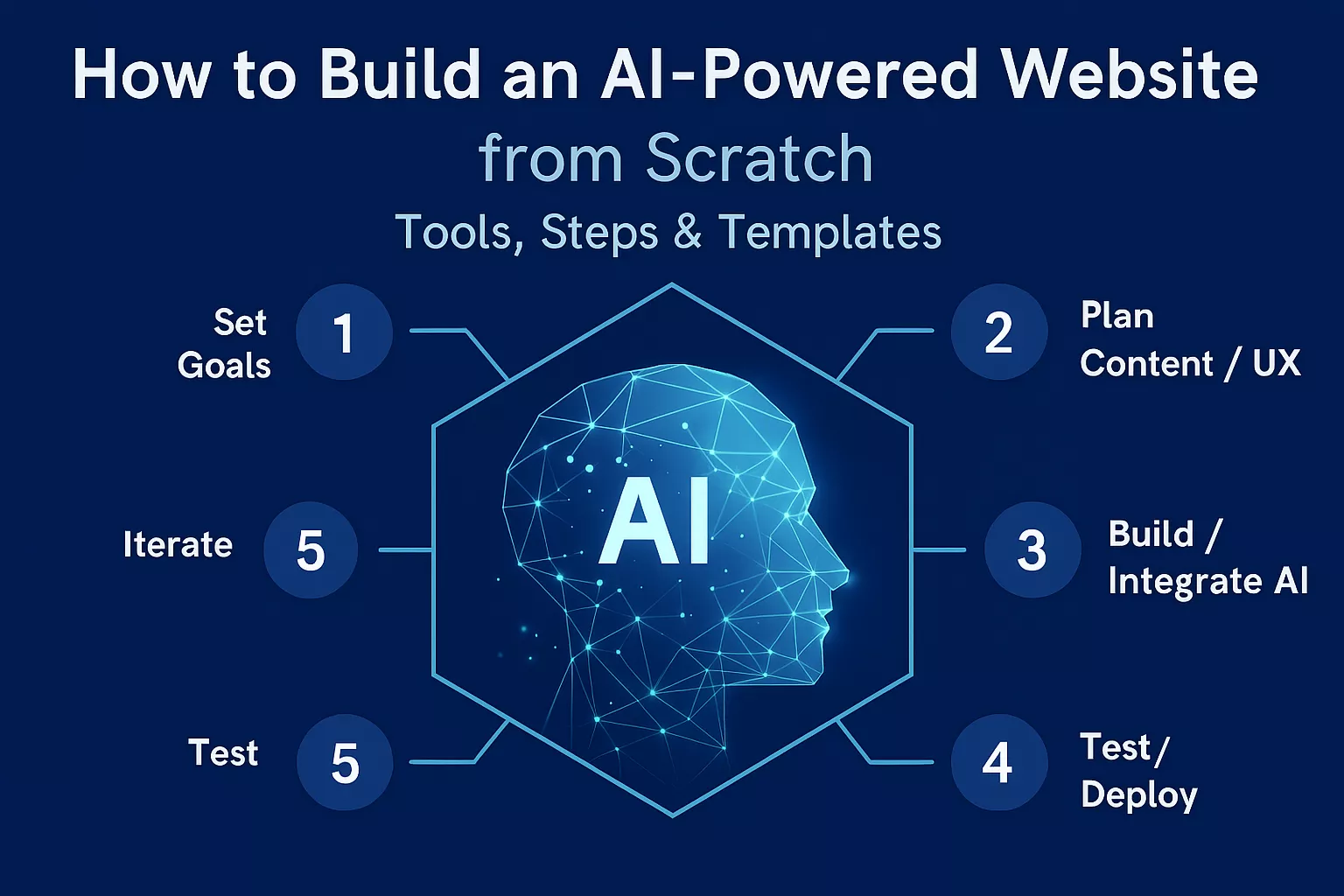
Building an AI-powered website from scratch means combining traditional web development with modern artificial intelligence features—such as chatbots, content generation, automation, personalization, and predictive analytics. You create the structure of the website normally, then integrate AI tools, APIs, or on-device models to make the site smarter and interactive. With the right tools, you can build a fully functional AI website even if you’re not a programmer.
This guide walks you through everything you need—from choosing the right tech stack and AI tools to building features, adding templates, and deploying it live.
What Is an AI-Powered Website?
An AI-powered website is any website that uses artificial intelligence to automate tasks, deliver personalized content, or perform intelligent actions. Instead of being static, the site learns from users and adapts in real time.
Common Examples:
- AI chatbots and customer support agents
- Product recommendations powered by ML
- Automated blog generators
- Voice and image recognition
- Predictive search and auto-suggestions
- Smart forms that validate or autofill
In 2026 and beyond, most modern websites rely on at least one AI capability.
Benefits of an AI-Powered Website
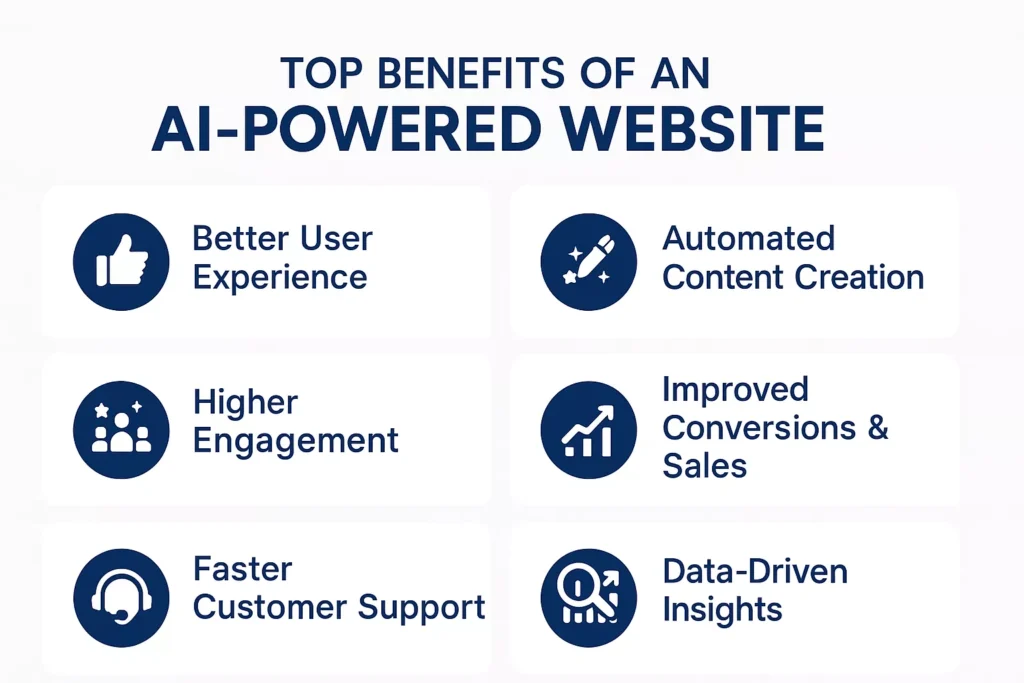
An AI-powered website doesn’t just display information—it thinks, adapts, and responds to users in real time. This creates a smarter, smoother, and more personalized online experience that traditional websites simply cannot match. Here’s how AI transforms your website into a powerful digital engine that works for your business 24/7.
1. Better User Experience
AI makes your website feel interactive and intuitive.
With chatbots that answer questions instantly, personalized landing pages that adapt to each visitor, and predictive search that guesses what users need before they finish typing, browsing becomes faster and more enjoyable. This level of intelligence keeps visitors engaged and encourages them to explore more of your site.
2. Automated Content Creation
Instead of spending hours writing, AI can generate high-quality content in seconds.
Product descriptions, blog posts, FAQs, email replies, metadata, and landing page copy can all be created automatically and customized to your brand’s tone. This means your website stays fresh, updated, and SEO-friendly—without requiring constant manual effort.
3. Higher Engagement
AI doesn’t show the same content to everyone.
It studies each visitor’s behavior—what they click, how long they stay, what device they use—and adapts the content accordingly. When users see information that feels relevant to them, they interact more, stay longer, and are far more likely to convert. It turns passive browsing into a personalized, interactive journey.
4. Improved Conversions & Sales
Personalization is one of the biggest drivers of online revenue.
AI-powered recommendation systems suggest products, services, or content based on a user’s interests and past behavior. This increases average order value, boosts cross-selling and upselling, and helps users quickly discover what they truly want. In short: more personalization = more sales.
5. Faster Customer Support
AI assistants never take breaks.
They handle customer questions instantly, at any hour, and across multiple languages. From order status checks to troubleshooting issues, AI reduces the load on your human team and delivers quick resolutions—creating a hassle-free experience for your visitors. The result is higher satisfaction and lower support costs.
6. Data-Driven Insights
AI doesn’t just display data—it interprets it.
It identifies patterns, predicts user preferences, and uncovers hidden opportunities. Whether it’s spotting which products will trend next or which pages need improvement, AI gives you actionable insights that would take humans days or weeks to find. These smart insights help you make better business decisions, faster.
Tools You Need (No-Code, Low-Code & Pro-Code Options)
The tools you choose depend entirely on your skill level and how much control you want over your AI-powered website. Whether you’re a beginner who prefers drag-and-drop builders or a developer aiming to create a custom AI platform, there’s a perfect path for you. Below is a clear breakdown of all three categories—so you can pick what fits your goals and comfort level.
A. No-Code Tools (Beginners)
These tools are ideal if you’re just starting out and want to build a fully functional AI website without touching a single line of code. Everything works through drag-and-drop interfaces, AI assistants, and pre-designed templates, making it extremely easy for anyone to launch a website within minutes.
Best No-Code Platforms
- Wix ADI / Wix Studio – Builds entire websites using AI, including layouts, images, and content. Great for quick business sites.
- Durable – Known for its “build a website in 30 seconds” AI generator that creates pages, copy, and branding instantly.
- Framer AI – Perfect for startups needing beautiful, animated landing pages created entirely with AI prompts.
- Webflow + AI Plugins – Offers professional-grade design power with AI-driven assistance for copy, layouts, and visual assets.
Pros
- Incredibly fast to build
- Beginner-friendly interfaces
- Minimal or zero technical effort required
Cons
- Limited customization compared to coding tools
- AI capabilities may be basic or restricted to templates
B. Low-Code Tools (Intermediate)
Low-code platforms are perfect if you want more flexibility without building everything from scratch. You get visual builders combined with the option to add custom scripts, AI plugins, and automations. This level is great for entrepreneurs, ecommerce owners, and creators who want smarter AI experiences.
Top Options
- Bubble.io + AI plugins – Build complex apps, workflows, and AI features using visual logic and API connectors.
- WordPress + AI plugins – Tools like WP GPT, Elementor AI, SEOPress AI, and AI Engine help generate content, improve SEO, and integrate chatbots.
- Shopify + AI apps – Add product recommendation engines, AI search, and automated marketing through plugins.
- Zapier + OpenAI – Create AI-based automations that connect your website to apps like Gmail, HubSpot, Notion, and more.
Pros
- Much more control and customization
- Powerful automations and integrations
- Cost-effective for growing businesses
Cons
- Requires some setup and understanding of workflows
- Light coding or API knowledge is helpful
C. Pro-Code Tools (Developers)
These are the tools developers use to build advanced AI platforms, SaaS products, custom chatbots, RAG systems, and fully intelligent applications. If you want ultimate flexibility and the ability to scale, this is the category for you.
Essential Technologies
Frontend Frameworks:
- React
- Next.js
- Vue
Backend Frameworks:
- Node.js
- Python (FastAPI, Django)
- PHP
AI Models & Libraries:
- OpenAI GPT models
- Gemini, Claude, Llama
- HuggingFace libraries & open-source LLMs
Databases:
- PostgreSQL
- MongoDB
- MySQL
Vector Databases (for AI memory & RAG):
- Pinecone
- Weaviate
- Chroma
Pros
- Unlimited customization and control
- Highly scalable
- Perfect for SaaS AI tools, full-stack apps, and enterprise systems
Cons
- Requires solid programming knowledge
- Building and maintaining features takes more time and effort
Step-by-Step Guide: Build an AI-Powered Website from Scratch
Whether you’re a complete beginner or an experienced developer, building an AI-powered website becomes much easier when you follow the right sequence. This step-by-step guide walks you through everything—from your first idea to your final live deployment.
Step 1: Define the Purpose of Your AI Website
Before writing a single line of code or choosing a builder, get clear on what your website should actually do. AI isn’t just a “feature”—it must solve a real user problem.
Ask yourself:
- What problem will the website solve?
(Customer support, content creation, fitness coaching, ecommerce personalization, etc.) - Who is your target audience?
(Shoppers, clients, students, creators, readers, etc.) - Which AI features will deliver real value?
Chatbots? Content generators? Smart search? Recommendations? - Do you want automation, personalization, generation, or all three?
Examples of AI-Powered Website Goals
- An AI chatbot that answers customer questions instantly
- A blog generator that writes SEO articles
- An AI fitness or diet coach
- A product recommendation engine for ecommerce
- An AI-based scheduling or booking system
By defining this early, you avoid wasted time and build with purpose.
Step 2: Choose Your Website Builder or Tech Stack
Your tools depend on your technical skill level. Pick the option that fits you today—not the one you hope to learn someday.
| Skill Level | Best Choices |
|---|---|
| Beginner | Wix, Framer, Webflow AI |
| Intermediate | WordPress + AI plugins, Bubble.io |
| Developer | Next.js, React, Python, Node.js |
If you want speed, choose no-code.
If you want flexibility, choose pro-code.
Your long-term vision matters.
Step 3: Create the Website Structure
Now start mapping what your website will look like. This applies to every platform—from Wix to Next.js.
Must-Have Pages
- Homepage
- About page
- Services or Products
- Contact page
- Blog
- AI feature pages (chatbot, generator, recommendations, etc.)
Good Practices
- Keep the layout clean and modern
- Use a simple navigation bar
- Load pages quickly with lightweight templates
- Add strong CTAs (Buy Now, Start Chatting, Generate Content, etc.)
A clean foundation makes your AI features shine.
Step 4: Add AI Features (The Most Important Step)
This is where your website transforms from “regular” to “intelligent.”
Below are the top AI features you can add—with beginner, intermediate, and developer-friendly tools.
1. AI Chatbot / Virtual Assistant
Give your website a smart assistant that can answer questions 24/7.
Best No-Code Tools:
- Crisp AI
- Tidio AI
- Botpress Cloud
- Wix Chatbot
- Intercom Fin AI
Developer Tools (More Advanced):
- OpenAI Assistants API
- Google Gemini API
- LangChain
- RAG + vector database setups
Use Cases:
- Customer support
- Product recommendations
- Lead qualification
- Appointment or demo booking
2. AI Content Generator
AI can generate content dynamically—saving you time and boosting SEO.
What You Can Add:
- AI blog writer
- AI email creator
- Product description generator
- Personalized landing pages
Tools:
- OpenAI API
- Jasper API
- Writesonic API
- WordPress AI plugins / Shopify AI apps
3. AI Image Generator
AI-generated visuals help you stand out and reduce design costs.
Use Cases:
- Product images
- Blog illustrations
- AI avatars
- Artistic graphics and banners
Integrations:
- OpenAI Image API
- Midjourney API (via wrappers)
- Stability AI API
4. AI Recommendation Engine
Perfect for ecommerce websites wanting to boost conversions through personalization.
Capabilities:
- “Users like you also viewed…”
- Smart recommendations based on past behavior
- Dynamic product listings
Tools:
- Shopify AI
- Recombee
- TensorFlow models
- Amazon Personalize
5. AI Forms & Automations
Upgrade normal forms into intelligent, interactive lead funnels.
Features to Add:
- AI form validation
- AI-based lead scoring
- AI document summarization
- Automated email replies
Tools:
- Zapier AI
- HubSpot AI
- Notion AI integrations
Adding these features makes your website truly interactive and self-operating.
Step 5: Connect Your AI to Data (Optional but Powerful)
If you want personalized answers or private knowledge (like a custom RAG chatbot), connect your AI to your own data.
Use Tools Like:
- Pinecone
- Weaviate
- ChromaDB
- MongoDB Atlas Vector Search
Upload Your Data:
- PDFs
- Docs
- Knowledge base
- Policies
- Customer insights
Your AI can now answer questions based on your actual data, not the general internet.
Step 6: Add Templates for Faster Building
Templates help you skip repetitive design work and focus on your AI features.
Best Templates for AI Websites
1. Webflow AI Templates
- AI tools landing pages
- SaaS dashboards
- Chatbot UI designs
2. WordPress Templates
- Astra
- GeneratePress
- Blocksy
Paired with:
- Elementor AI
- Divi AI
3. Next.js & React Templates
- ShadCN UI components
- Tailwind CSS templates
- NextUI layouts
4. Figma AI Templates
Design everything visually → then export to Webflow or code.
Templates save days of work and guarantee a clean design.
Step 7: Optimize Your Website for SEO
Even the smartest AI website won’t rank unless it’s SEO-friendly.
Search engines reward clean structure, fast pages, and quality content.
Best Practices:
- Use keyword-rich titles and headings
- Write meta descriptions (AI can help)
- Compress images for faster load speed
- Add schema markup
- Publish blogs regularly
AI SEO Tools:
- Surfer AI
- Frase AI
- NeuronWriter
- Ahrefs + ChatGPT for SEO optimization
AI can help you rank, but you still need a solid structure.
Step 8: Test All AI Features
Before going live, test your website like a real user would.
Check For:
- Accuracy of chatbot responses
- Data privacy and security
- Website loading speed
- Mobile responsiveness
- Form automation
- Analytics and event tracking
Testing ensures your AI doesn’t confuse or frustrate users.
Step 9: Deploy & Host Your AI Website
Once everything works perfectly, publish your site.
Best Hosting Options:
- Vercel — best for Next.js
- Netlify — best for JAMstack sites
- Hostinger / Bluehost — best for WordPress
- Webflow Hosting — fast and reliable
- AWS / Google Cloud — enterprise-level scalability
Launch with a custom domain + SSL certificate for credibility and security.
Step 10: Maintain & Continuously Improve
AI-powered websites evolve constantly.
New data, new models, and new user behaviors require ongoing updates.
Update Regularly:
- Content
- AI models and prompts
- Datasets
- Plugins and extensions
- Security patches
Consistent improvement keeps your website fast, accurate, and competitive.
Best AI Features to Add to Any Website
Below is an expanded, practical guide to the essential AI features that turn a static website into a responsive, helpful, and revenue-driving digital assistant. For each feature you’ll find what it does, why it matters, and how to implement it quickly.
1. AI Chatbot
What it does: A conversational agent that answers questions, guides visitors, and captures leads in real time. Why it matters: Chatbots reduce response time, lower support costs, and keep visitors engaged 24/7. They can handle FAQs, book appointments, and escalate complex issues to humans. How to implement: Start with a rules-based flow for common queries, then layer in a conversational AI model for natural language understanding. Integrate with your CRM to log leads and with analytics to track conversation outcomes. Train the bot on your product pages, help docs, and past support transcripts for better accuracy.
2. Personalized Content
What it does: Dynamically adjusts headlines, product suggestions, and article recommendations based on user behavior, location, or past interactions. Why it matters: Personalization increases relevance, time on site, and conversion rates by showing each visitor what matters most to them. How to implement: Use simple rules (e.g., show category A to returning visitors) or a lightweight personalization engine that uses session signals and cookies. For deeper personalization, feed anonymized user data into a recommendation model and A/B test variations.
3. Smart Search
What it does: An intelligent site search that understands intent, corrects typos, and ranks results by relevance rather than keyword match alone. Why it matters: Visitors who find what they need quickly are more likely to convert. Smart search reduces bounce rates and improves user satisfaction. How to implement: Replace basic search with a search service that supports fuzzy matching, synonyms, and faceted filters. Add autocomplete suggestions and highlight matching terms in results to speed discovery.
4. Auto-Blog Generator
What it does: Generates article drafts, outlines, and meta descriptions to accelerate content production. Why it matters: Consistent, high-quality content fuels SEO and keeps your audience engaged without overloading your team. How to implement: Use AI to create first drafts and topic ideas, then have editors refine tone, facts, and structure. Automate meta tags and summaries to save time on publishing workflows.
5. AI Image Generation
What it does: Produces custom visuals, hero images, and product mockups on demand. Why it matters: Unique imagery improves brand identity and reduces reliance on stock photos, lowering costs and increasing visual consistency. How to implement: Integrate an image-generation API for hero banners or social assets. Always review and edit generated images for brand alignment and accessibility before publishing.
6. Voice Enabled Search
What it does: Lets users speak queries and commands to find content or navigate the site. Why it matters: Voice search improves accessibility and matches how many users naturally ask questions on mobile and smart devices. How to implement: Add a voice input button tied to a speech-to-text service, then route the transcribed query to your smart search or chatbot. Optimize content for conversational queries and long-tail phrases.
7. Predictive Recommendations
What it does: Suggests products, articles, or next steps based on user signals and historical patterns. Why it matters: Predictive suggestions increase average order value and keep users exploring relevant content. How to implement: Start with collaborative filtering or simple popularity-based rules, then evolve to models that combine context, recency, and user intent. Monitor recommendation performance and refresh models regularly.
8. AI Powered Forms
What it does: Enhances forms with smart field suggestions, autofill, and dynamic question flows that adapt to user responses. Why it matters: Smarter forms reduce friction, increase completion rates, and collect higher-quality data. How to implement: Use conditional logic to show only relevant fields, add predictive text for common entries, and validate inputs in real time. Connect form data to your CRM for immediate follow-up.
9. Lead Qualification AI
What it does: Scores and prioritizes leads automatically using behavior, firmographics, and interaction history. Why it matters: Sales teams spend less time on low-value leads and focus on prospects most likely to convert. How to implement: Build a scoring model that weights actions like page visits, demo requests, and content downloads. Route high-score leads to sales and nurture lower-score leads with automated campaigns.
10. Automated Email Replies
What it does: Generates context-aware email responses for common inquiries and follow-ups. Why it matters: Faster, consistent email replies improve customer experience and free up support resources. How to implement: Use templates enhanced by AI to personalize greetings, summarize user issues, and propose next steps. Ensure human review for sensitive or complex cases and log all replies for quality control.
Recommended Templates and Frameworks
Best No-Code Templates
- Webflow AI Landing Page — Clean, conversion-focused layout with built-in AI copy and layout helpers.
- Framer SaaS Template — Modern, interactive design ideal for product demos and feature tours.
- Wix AI Ecommerce Template — Ready-made store pages with AI-assisted product descriptions and merchandising.
Best Developer Templates
- Next.js SaaS Starter Kit — Production-ready structure with routing, auth, and API examples to launch a SaaS quickly.
- Tailwind UI Admin Dashboard — Component-driven dashboard templates that speed up UI development and consistency.
- ShadCN Chatbot UI Layout — Lightweight, accessible chat interface patterns you can plug into any frontend.
These templates and frameworks significantly reduce development time and give you a solid foundation to add AI features and customizations.
Costs, Hosting & Deployment
Cost Breakdown:
| Item | Price Range |
|---|---|
| Domain | $8–$20/year |
| Hosting | $3–$20/month |
| AI API (OpenAI, Gemini) | $5–$30/month |
| Templates | Free–$50 |
| Plugins | Optional ($5–$20) |
You can build a full AI-powered website for under $50–$100 if done efficiently.
Pro Tips for SEO, Performance & Security
To make your AI-powered website truly stand out, you need more than great features—you need strong SEO, fast performance, and tight security. These three areas directly impact your ranking, user experience, and overall trustworthiness. Below are practical, easy-to-apply tips to help you keep your site optimized and protected.
SEO Tips
- Add schema markup
Schema helps search engines understand your content better. Use structured data for articles, products, FAQs, and AI tools so Google can display rich results. - Write long-form blogs
High-quality, detailed articles (1,000+ words) improve ranking, boost engagement, and help visitors trust your expertise. - Use internal linking
Connect related pages and blogs so users explore more of your site. Internal links also help Google crawl and index your website more efficiently. - Optimize images
Compress images, add alt text, and use next-gen formats like WebP. This improves page speed and strengthens your SEO signals.
Performance Tips
- Compress images
Large images slow down your site. Use tools like TinyPNG, Squoosh, or built-in CMS compression to keep quality high but file sizes small. - Reduce unnecessary scripts
Remove unused JavaScript, plugins, and tracking codes. The fewer scripts your browser loads, the faster your website becomes. - Use a CDN (Content Delivery Network)
A CDN delivers your content from servers closest to your visitors, drastically improving load times globally. - Cache aggressively
Enable browser caching and server-side caching. When pages load from cache instead of reloading every time, performance skyrockets.
Security Tips
- HTTPS is mandatory
Always use SSL certificates. They secure user data, boost SEO ranking, and build trust instantly. - Keep API keys hidden
Never expose API keys in frontend code. Store them in environment variables or server-side configurations to avoid misuse. - Rate-limit AI endpoints
Prevent abuse by limiting how frequently AI APIs can be accessed. This protects you from spam, bots, and excessive usage fees. - Use CAPTCHA on forms
AI-powered sites attract more bot traffic. Adding CAPTCHA ensures only real humans submit forms, reducing spam and protecting your backend.
Conclusion
Building an AI-powered website from scratch is easier today than ever before. With the right tools, templates, and steps, you can create a website that not only looks professional but also thinks, responds, learns, and automates tasks like a digital assistant. Whether you choose no-code builders or full programming, AI features like chatbots, content generators, recommendation engines, and automated workflows can transform your website into a dynamic, intelligent platform.
AI websites are the future of online business—and starting now puts you far ahead of the competition.
FAQs
1. What tools do I need to build an AI-powered website from scratch?
You can build an AI-powered website using no-code platforms like Wix, Framer, or Webflow AI; low-code tools like WordPress + AI plugins; or full-code stacks such as Next.js, React, Python, and OpenAI/Gemini APIs.
2. Can beginners create an AI-powered website without coding?
Yes! With AI builders like Durable, Webflow AI, Framer AI, and Wix Studio, beginners can create fully functional AI websites—including chatbots, content generators, and forms—without writing any code.
3. What AI features should I add to make my website smarter?
Popular AI features include chatbots, content generators, image generators, personalized recommendations, smart search, automated forms, and AI-based analytics. Choose features based on your website’s purpose.
4. How much does it cost to build an AI-powered website?
Costs range from $30 to $150 depending on hosting, domain, templates, and AI API usage. No-code builders are cheaper, while fully custom developer-built AI platforms may cost more.
5. How do I integrate AI models like GPT, Gemini, or Llama into my website?
You can integrate AI models using APIs provided by OpenAI, Google Gemini, Anthropic, or HuggingFace. Developers typically use frameworks like Node.js, Python (FastAPI), or Next.js to connect the website to these AI services.