

The best AI tools for teachers are those that save time, simplify lesson planning, improve grading accuracy, and make learning more engaging for students. Tools like Google Classroom AI features, Quizlet, Khanmigo, Grammarly, MagicSchool AI, and ClassPoint AI help teachers automate repetitive work so they can focus more on teaching and student support. Whether you teach in a physical classroom or online, these tools reduce workload and elevate learning quality.
Why Teachers Need AI Tools Today
Teaching has always been a demanding profession, but modern classrooms bring even more challenges – larger student groups, limited preparation time, diverse learning needs, heavy administrative tasks, and constant expectations for better outcomes.
AI isn’t here to replace teachers.
AI is here to empower them.
With the right AI tools, educators can:
- Save hours on administrative and repetitive tasks
- Automate grading and provide instant feedback
- Create high-quality lesson plans in minutes
- Design personalized learning paths for every student
- Support struggling learners with targeted assistance
- Simplify complex topics using visuals, examples, and simulations
This article highlights the best AI tools for teachers to boost classroom productivity and explains how each one can help you teach more efficiently – and more effectively.
1. MagicSchool AI – The All-in-One Teaching Assistant Built for Educators

MagicSchool AI is one of the few AI platforms created specifically for teachers, not general users. It comes packed with more than 60 educator-focused tools, making it a true game-changer for lesson planning, grading, and communication.
Top Features
- Lesson plan generator that aligns with standards
- Rubric creator for quick and consistent assessments
- IEP assistant for supporting individualized learning needs
- Quiz and assessment creator for all subjects
- Parent email drafts to simplify communication
- Explanations at any grade level, from elementary to high school
How It Boosts Productivity
MagicSchool AI reduces planning time by 50–70%, allowing teachers to instantly generate templates, assignments, and rubrics that normally take hours.
Why Teachers Love It
- Simple, intuitive interface
- Works for all subjects and grade levels
- Significantly reduces workload
Best For: K–12 teachers, special education educators, and teachers handling heavy planning or documentation tasks.
2. Google Classroom AI – Smarter Way to Manage Your Entire Classroom

Google Classroom continues to evolve with powerful AI features that simplify daily teaching tasks and improve classroom organization.
Top Features
- AI suggestions for assignments and class materials
- Automated feedback to help guide students
- Smart reminders and scheduling tools
- AI-powered writing assistance for announcements and emails
How It Boosts Productivity
AI helps teachers avoid repetitive tasks, manage assignments more efficiently, and quickly understand student progress—all inside one platform.
Why Teachers Love It
Google Classroom keeps assignments, grades, communication, and resources in a centralized, easy-to-use hub. The added AI features make the system even more intuitive and time-saving.
Best For: Teachers using Google Workspace or Chromebooks in classrooms.
3. Khanmigo (Khan Academy) – Your Intelligent Teaching & Tutoring Partner
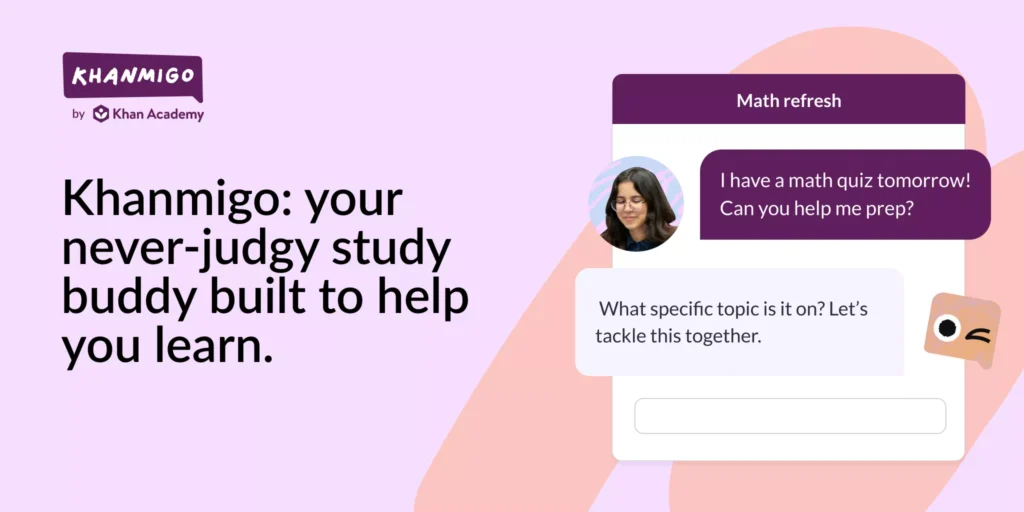
Khanmigo is an AI-powered tutor designed by Khan Academy to support both teachers and students through interactive learning experiences.
Top Features
- Instant, step-by-step explanations of concepts
- AI-created practice problems
- Student tutoring in real time
- Creative writing and brainstorming support
- Beginner-friendly coding help
How It Boosts Productivity
Khanmigo can handle repeated tutoring sessions or concept explanations, giving teachers more time to focus on deeper discussions, group work, or personalized help.
Why Teachers Love It
- Safe and monitored AI environment
- Designed by trusted education experts
- Helps personalize learning for each student
Best For: Math, science, English, and computer science teachers.
4. Quizlet AI – Smarter Ways to Create Study Materials
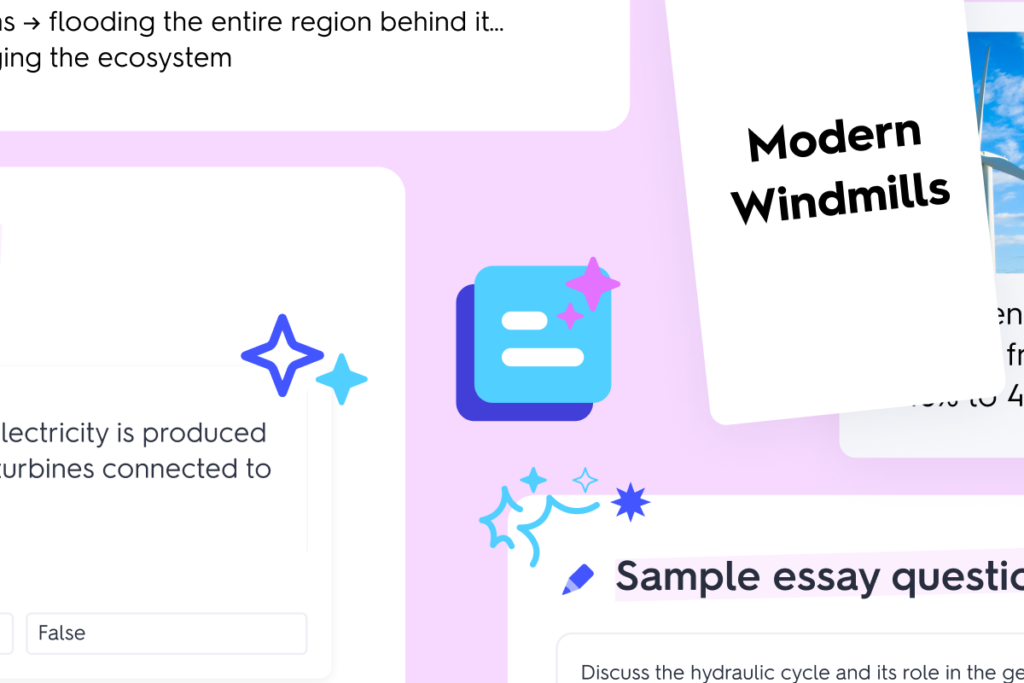
Quizlet’s AI features help teachers instantly transform content into study sets, quizzes, flashcards, and games—perfect for boosting practice and revision.
Top Features
- AI study assistant
- Automatic flashcard and quiz generator
- Practice tests based on your notes
- Memory-friendly learning modes
- Teacher dashboards to track progress
How It Boosts Productivity
Teachers can upload a single document and let AI convert it into engaging study tools. This saves hours of manual content creation.
Why Teachers Love It
- Highly engaging for students
- Ideal for test prep and homework
- Reduces repetitive planning work
Best For: High school and college educators.
5. Grammarly – Your Writing and Communication Co-Pilot

Grammarly does far more than fix grammar. It helps teachers create clear, professional communication while supporting students’ writing development.
Top Features
- Grammar, clarity, and plagiarism checks
- Tone and style adjustments
- Readable writing suggestions
- AI writing help for emails, feedback, and lessons
How It Boosts Productivity
Teachers save significant time editing assignments, crafting parent emails, or giving detailed writing feedback. Grammarly handles the refinements automatically.
Why Teachers Love It
- Very accurate and reliable
- Works across devices and browsers
- Helps improve students’ writing skills
Best For: English teachers, writing-heavy courses, and college instructors.
6. ClassPoint AI – Transform PowerPoint Into Interactive Learning

ClassPoint AI brings interactivity to traditional presentations by generating quizzes and questions directly from your lesson slides.
Top Features
- AI quiz and question generator
- Gamified student response tools
- Engagement features built into slides
- Automatic conversion of slides into quizzes
How It Boosts Productivity
Teachers no longer need to manually create quiz questions. ClassPoint AI reads your slide content and creates assessment items instantly.
Why Teachers Love It
- Boosts class participation
- Works seamlessly with existing PowerPoint lessons
Best For: Teachers who rely on slide-based instruction.
7. Canva AI – Design Beautiful Learning Materials in Minutes
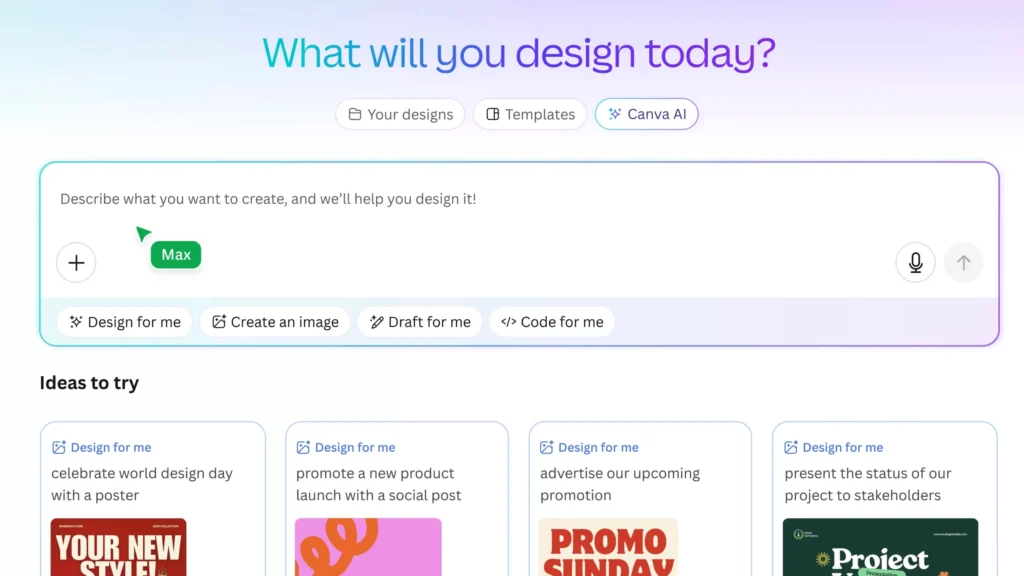
Canva’s AI tools allow teachers to create visually appealing worksheets, presentations, posters, and videos—without any design experience.
Top Features
- AI image generator
- Magic Write for lesson content
- AI-assisted video and design tools
- Thousands of school-friendly templates
- Drag-and-drop worksheet creators
How It Boosts Productivity
Teachers can produce eye-catching resources in minutes, eliminating time spent formatting or designing from scratch.
Why Teachers Love It
- Extremely easy to use
- Professional-looking results
- Perfect for engaging students visually
Best For: Creative classrooms, visual learners, project-based teaching.
8. ChatGPT – The Most Versatile Planning & Creativity Tool

ChatGPT is a powerful assistant for teachers because it can generate almost any kind of educational content—instantly and tailored to student needs.
Top Features
- Full lesson plans for any topic
- Custom worksheets and quizzes
- Explanations at different grade levels
- Creative prompts for stories and activities
- Summaries of research or complex topics
- Parent communication and report drafts
How It Boosts Productivity
ChatGPT speeds up planning, sparks creativity, and produces ready-to-use teaching materials. It’s one of the biggest time-savers for educators.
Why Teachers Love It
- Adaptable to any subject
- Reduces planning stress
- Helps avoid teacher burnout
Best For: Any teacher who needs fast, personalized content.
9. EdPuzzle AI – Make Any Video an Interactive Lesson

EdPuzzle turns regular videos into interactive learning experiences by adding questions, notes, and assessments.
Top Features
- AI-generated quizzes attached to videos
- Video trimming and editing tools
- Detailed student progress tracking
- Auto-graded questions
How It Boosts Productivity
Embedded questions are graded automatically, saving teachers time and ensuring students stay accountable when watching lesson videos.
Why Teachers Love It
- Ideal for flipped or blended learning
- Keeps students engaged
- Allows reuse of existing video content
Best For: Online learning, homework, and multimedia lessons.
10. ReadTheory AI & ReadWorks – Personalized Reading Support
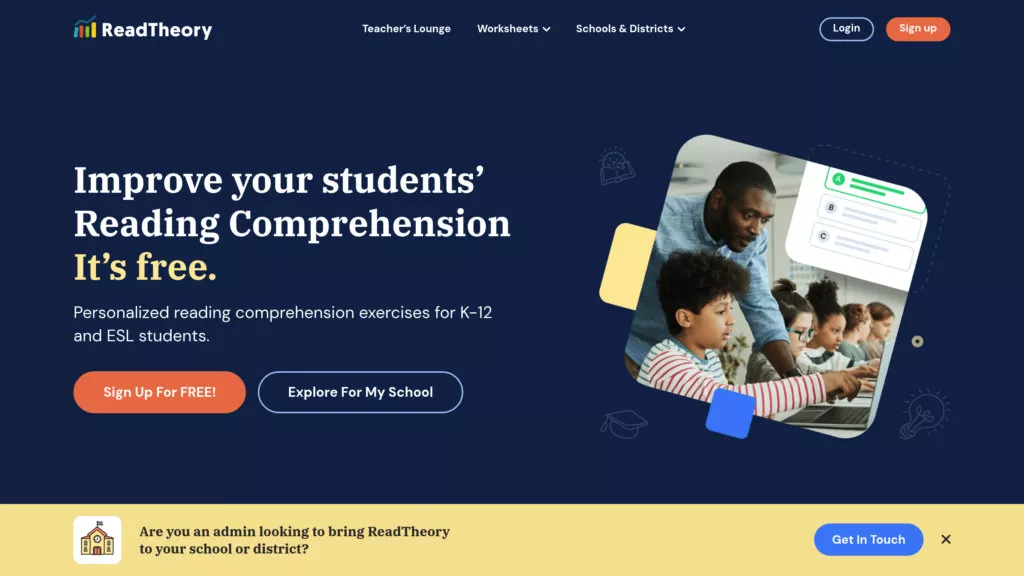
These AI reading platforms adjust content to match each student’s reading level, making reading instruction more effective and manageable.
Top Features
- Adaptive reading levels
- Automatic comprehension quizzes
- Insightful teacher dashboards
- Curated reading passages for all grades
How It Boosts Productivity
Teachers no longer need to manually search for reading texts or design comprehension questions—the AI does it all automatically.
Why Teachers Love It
- Excellent for literacy development
- Supports English language learners
- Saves hours of assessment time
Best For: Elementary teachers, ESL educators, and language arts classes.
How AI Improves Classroom Productivity: Real Benefits
a) Faster Lesson Planning
AI accelerates the planning process by producing complete, ready-to-use materials in minutes. Lesson outlines, learning objectives, activity sequences, worksheets, assessments, and rubrics can be generated and aligned to standards automatically, saving teachers hours of preparation time. AI can also suggest differentiated versions of the same lesson for varied ability levels and provide alternative activities or extension tasks, making it easier to adapt plans for mixed-ability classrooms. The result is more consistent, standards-aligned planning with less repetitive work.
b) Automated Grading
Automated systems handle routine assessment tasks so teachers can focus on higher-value feedback. Multiple-choice and short-answer items are graded instantly, while rubric-driven scoring and pattern recognition tools speed up evaluation of longer responses. Many platforms also generate immediate, personalized feedback for students and compile class-level analytics that highlight common misconceptions and trends. This reduces the grading burden and provides timely information teachers can use to adjust instruction.
c) Personalized Learning
AI enables instruction that adapts to each student’s pace and preferences. By analyzing performance data, AI recommends targeted practice, scaffolded supports, and enrichment activities tailored to individual strengths and gaps. Adaptive pathways let students progress at their own speed while teachers receive actionable insights about who needs intervention or acceleration. This personalization increases learning efficiency and helps close achievement gaps.
d) Better Classroom Engagement
Interactive, AI-powered tools make lessons more dynamic and participatory. Quizzes with instant feedback, multimedia visuals, virtual labs, and simulations transform abstract concepts into hands-on experiences that sustain attention and deepen understanding. Gamified elements and real-time response systems encourage active participation and provide teachers with immediate indicators of student comprehension. These features foster a more engaging and responsive classroom environment.
e) More Time for Teaching
When AI takes on repetitive administrative and instructional tasks, teachers reclaim time for the human aspects of education. With routine planning, grading, and data aggregation automated, educators can devote more energy to creative lesson design, one-on-one coaching, Socratic discussions, and mentoring. That shift enhances the quality of classroom interactions and supports deeper learning and stronger relationships with students.
How to Choose the Best AI Tools for Your Classroom
Selecting the right AI tools doesn’t have to feel overwhelming. Think of it as matching the right solution to the right classroom need. Here’s a simple, teacher-friendly approach to choosing tools that truly make a difference:
1. Start With Your Purpose
Ask yourself:
“What do I want this tool to help me with?”
Your purpose might be to:
- Cut down grading time
- Streamline communication
- Build lessons faster
- Personalize support for different learners
- Increase engagement with interactive activities
Once you know your “why,” finding the right tool becomes much easier.
2. Think About Who You’re Teaching
AI tools aren’t one-size-fits-all. The needs of a first grader are very different from those of a college student.
- Elementary: visual, simple, engaging tools
- Middle school: structured guidance, interactive content
- High school/college: advanced explanations, writing support, research help
Choose tools designed for the age group you teach so they blend naturally into your lessons.
3. Match the Tool to Your Subject
Your curriculum matters. Some tools shine in certain subjects:
- Math & Science → AI tutors like Khanmigo
- English & Writing → Grammarly, ReadTheory AI
- Creative subjects → Canva AI, ClassPoint AI
- General planning or assessment → MagicSchool AI, ChatGPT
The right fit ensures the tool supports your teaching instead of adding more work.
4. Look for Simplicity and Ease of Use
If a tool is confusing or time-consuming to set up, you probably won’t use it often.
A good AI tool should:
- Be easy to learn
- Have a clean and intuitive interface
- Offer quick results
- Integrate smoothly with tools you already use
Remember: AI should save time, not require hours of training.
5. Check the Cost and Classroom Budget
Many AI tools offer:
- Free teacher accounts
- Basic free plans
- School or district discounts
- Affordable upgrades
Before purchasing anything, explore the free version—you might find it already does everything you need.
The Future of AI in Education
- Real-time student performance prediction — AI will analyze assessments and classroom interactions to forecast progress and flag students who need timely intervention.
- AI teaching co-pilots — Intelligent assistants will support planning and instruction by suggesting activities, formative checks, and on-the-fly prompts.
- Hyper-personalized learning paths — Adaptive systems will deliver individualized trajectories with targeted practice, scaffolds, and enrichment based on each student’s needs.
- Automated classroom management — Routine tasks like attendance, behavior tracking, and scheduling will be streamlined, freeing teachers from administrative overhead.
- Smarter lesson design — AI will synthesize standards, student data, and evidence-based strategies to propose coherent, differentiated lesson sequences.
- Teachers remain central — AI amplifies teacher effectiveness by handling repetitive work and surfacing insights, while professional judgment, empathy, and mentorship continue to drive learning outcomes.
Final Thoughts
The best AI tools for teachers are those that simplify tasks, support students, and make daily teaching more efficient. Whether you’re looking to speed up lesson planning, automate grading, create better classroom materials, or personalize learning, the tools listed in this guide offer powerful, practical help.
By integrating AI thoughtfully, teachers can save hours every week and focus on what matters most: teaching, connecting, and inspiring students.
FAQs
1. What are the best AI tools teachers can use to improve classroom productivity?
Some of the most effective AI tools for boosting productivity include MagicSchool AI, Google Classroom AI features, Khanmigo, Quizlet AI, ClassPoint AI, Canva AI, and ChatGPT. These tools help automate grading, simplify lesson planning, personalize learning, and improve overall classroom engagement.
2. How can AI tools help teachers save time?
AI tools automate time-consuming tasks like grading, creating lesson plans, generating worksheets, providing student feedback, and organizing classroom resources. This gives teachers more time to focus on teaching, mentoring, and supporting students.
3. Are AI tools safe for use in the classroom?
Yes, most reputable AI platforms designed for education prioritize student privacy and data security. Tools like Google Classroom, Khan Academy, and MagicSchool AI follow strict privacy standards. Teachers should still review each tool’s privacy policy before adopting it.
4. Can AI tools personalize learning for different student levels?
Absolutely. AI tools can analyze student performance and adapt content to each learner’s pace and ability. This helps teachers provide differentiated instruction, support struggling students, and challenge advanced learners—all without extra workload.
5. Do teachers need technical skills to use AI tools effectively?
Not at all. Most AI tools are built with simple, teacher-friendly interfaces. Educators can start using them with minimal training. Many platforms even offer tutorials, templates, and ready-to-use features that make the transition smooth and stress-free.