

Building your first AI agent is much easier than most people imagine. You don’t need advanced programming knowledge or deep machine learning expertise. With the right tools and a clear workflow, beginners can create an AI agent that thinks, responds, and completes tasks independently. This guide walks you through the full process—from understanding what an AI agent is to deploying your first functioning system—using simple language and a practical approach.
Understanding What an AI Agent Really Is
An AI agent is essentially a smart digital assistant capable of interpreting instructions, making decisions, and performing tasks without constant human involvement. Think of it as a system that learns your goal and works through steps automatically to achieve it. These agents may answer questions, analyze documents, summarize news, search the web, perform actions across apps, or even automate complex workflows.
Unlike traditional software, AI agents don’t rely on strict rules. They think more flexibly using large language models (LLMs)—making them ideal for beginners because they can handle vague or creative requests.
How AI Agents Actually Work
To build an AI agent confidently, it helps to understand the simple mechanics behind them. Every AI agent is powered by five core components: a goal, a reasoning engine, tools, memory, and a multi-step workflow.
The goal is the purpose you assign. Whether it’s “answer customer questions” or “summarize research,” this objective guides everything the agent does. The reasoning engine, typically an LLM, acts as the brain. It interprets instructions, makes decisions, and generates responses. Next are tools, which act like the agent’s hands. These may include web browsing, email access, APIs, or databases the agent interacts with to execute tasks. The memory component helps the agent retain information, such as user preferences or past interactions, so it performs better over time. Finally, there is the workflow, which defines how tasks are executed step by step.
Even though these may sound technical, modern AI platforms simplify them so beginners can build agents without writing a single line of code.
Step-by-Step Guide: How to Build Your First AI Agent
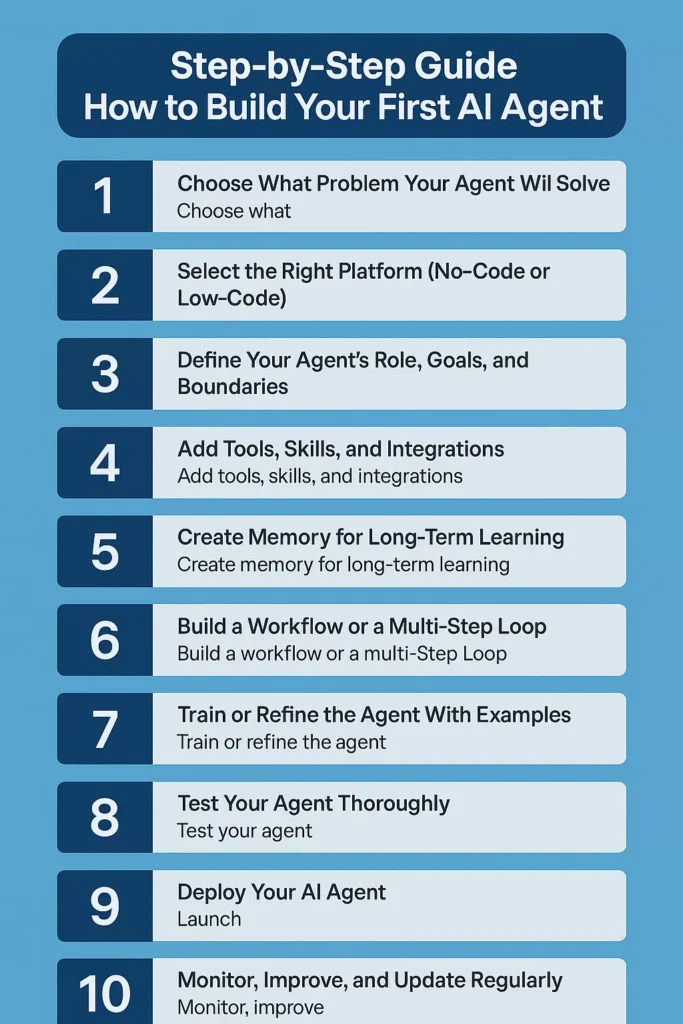
Below is a detailed, beginner-friendly process you can follow to create your first fully functioning AI agent.
Step 1: Choose What Problem Your Agent Will Solve
Every good AI agent starts with a clear and narrow goal. Ask:
- What task do I want to automate?
- What repetitive activity consumes my time?
- Where can AI assist in my workflow?
Some easy starter ideas:
- A content-writing agent
- A customer-support chatbot
- A research and summarization agent
- A task automation agent for emails
- A data-extraction agent for documents
Choose something small but useful—you can expand it later.
Step 2: Select the Right Platform (No-Code or Low-Code)
Beginners should use no-code agent builders because they simplify everything. Popular options include:
No-Code AI Agent Builders
- OpenAI GPTs
- Replit AI Agent Builder
- Microsoft Copilot Studio
- Zapier AI Actions
- FlowiseAI
- Rasa (low-code option)
Which One Should You Choose?
For your first AI agent:
- Use OpenAI GPTs for conversational or knowledge-based agents
- Use FlowiseAI or Zapier for automation-heavy agents
- Use Replit for a more developer-friendly interface with simple setup
Choose the platform that fits the agent’s purpose.
Step 3: Define Your Agent’s Role, Goals, and Boundaries
The success of your agent depends heavily on your instructions.
Write a clear, direct system prompt that defines:
- What the agent is
- What it must do
- What it must avoid
- What style or format it should follow
- Any rules or restrictions
Example Prompt
“You are a research assistant. Your job is to search the web, extract accurate information, summarize it clearly, and deliver actionable insights. Avoid complicated jargon and always cite sources.”
Your prompt becomes your agent’s personality, mission, and operating rulebook.
Step 4: Add Tools, Skills, and Integrations
Tools transform a chatbot into a powerful AI agent.
Depending on the platform, you can add:
Useful Tools
- Web browsing
- File analysis
- Email sending
- Calendar management
- API connections
- Database access
- Chrome automation
- Document extraction
Example Use Cases
- A research agent with web search
- A support agent connected to a knowledge base
- A scheduling agent linked to a calendar
- A data-entry agent using spreadsheets
Spend time choosing the right tools—this is what gives your agent real capabilities.
Step 5: Create Memory for Long-Term Learning
Memory helps your AI agent remember user preferences, previous conversations, or past tasks.
Types of memory you can enable:
- User profile memory
- Project or task memory
- Document embeddings for knowledge
- Chat history retention
Why Memory Matters
- Makes conversations more personal
- Reduces repeated instructions
- Improves response accuracy
- Allows multi-step task completion
Agents with memory feel more intelligent and reliable.
Step 6: Build a Workflow or a Multi-Step Loop
Now you decide how your agent will complete tasks.
A simple workflow could be:
- Receive user request
- Break request into subtasks
- Execute each subtask
- Check results
- Improve output
- Deliver final response
Tools like FlowiseAI make this visually easy with drag-and-drop nodes.
Workflow Example (Research Agent)
- Step 1: Search topic
- Step 2: Extract data
- Step 3: Summarize information
- Step 4: Generate final report
Workflows turn your agent from reactive to proactive.
Step 7: Train or Refine the Agent With Examples
Training your agent doesn’t require machine learning skills. You can simply give:
- Example prompts
- Sample conversations
- Desired outputs
- Bad output samples (and corrections)
- Writing style examples
- Task templates and formats
This is called prompt-based training.
Example Training Sample
User: “Summarize this article.”
Desired Output: “Here are the key points in bullet form…”
These examples help the agent learn your preferences and consistently deliver the correct format.
Step 8: Test Your Agent Thoroughly
Before deployment, test your agent in different situations:
Test for:
- Accuracy
- Speed
- Reliability
- Behavior across various queries
- Whether it follows instructions
- How well it uses tools
Try giving:
- Short commands
- Odd or unclear prompts
- Complex tasks
- Repetitive tasks
Testing makes the agent robust and user-friendly.
Step 9: Deploy Your AI Agent
Depending on the platform, you can deploy your agent:
- On your website
- Inside your app
- As a chatbot
- As an automation tool
- As a support assistant
- As a background workflow system
Examples:
- Embed GPT-based agent on your website
- Use FlowiseAI to deploy as an API endpoint
- Use Zapier to integrate with email and automation tools
Deployment is where the agent begins real-world work.
Step 10: Monitor, Improve, and Update Regularly
Great agents evolve over time. Track:
- User feedback
- Failure cases
- Misunderstood prompts
- Incorrect actions
- Tool usage issues
Improve by:
- Updating instructions
- Adding more examples
- Expanding memory
- Including new tools or APIs
- Increasing safety and checks
Continuous refinement turns a simple agent into a highly capable AI system.
Best Practices for New AI Agent Builders
Creating a reliable AI agent isn’t just about choosing the right tools—it’s about following smart habits that make your agent accurate, consistent, and genuinely useful. Below are the best practices every beginner should know, explained in short paragraphs with supporting bullet lists to keep the content easy to read and engaging.
1. Start Small and Focused
Beginners often try to build an all-in-one super agent right away. This usually leads to confusion and inconsistent performance. Instead, begin with one clear purpose.
Why This Matters:
A focused agent learns faster, behaves more predictably, and is easier to test and improve.
Tips:
- Start with one task (e.g., summarizing, answering FAQs, scheduling).
- Expand only after the first task works perfectly.
- Think of your agent as a small project that grows gradually.
2. Write Simple and Clear Instructions
AI agents thrive on clarity. The quality of your prompt becomes the quality of your agent.
Explanation:
Agents act like intelligent assistants but still rely heavily on the wording you provide. Simple language = stronger performance.
What to Include:
- A clear role (“You are a research assistant…”)
- Expected behavior
- Boundaries (what it should avoid)
- The tone or format you prefer
- Examples of good responses
3. Add Only the Tools You Actually Need
More tools do not make your agent smarter—they make it more confused. Focus on the essentials.
Why This Helps:
Tool overload makes the agent try too many things at once, leading to errors.
Good Practice:
- Choose tools that directly support your goal
- Remove integrations that aren’t used
- Test each tool individually before combining them
4. Treat Your Agent as a Constantly Improving System
Your first version won’t be perfect—and that’s completely normal. Agent building is an iterative process.
In Practice:
Each time your agent misunderstands a task or produces an incorrect output, treat it as a learning opportunity.
How to Improve Continuously:
- Update prompts with clearer rules
- Add more examples
- Adjust the workflow for consistency
- Expand memory only when necessary
5. Test Your Agent with Real-World Scenarios
Testing is where your agent reveals its strengths and weaknesses. Don’t just test with ideal queries—test with messy, unexpected ones too.
Examples of Good Testing:
- Ask vague questions
- Try long, detailed instructions
- Mix different types of prompts
- Give contradictory or unclear tasks to see how it reacts
Testing helps you understand how your agent thinks and how well it follows your rules.
6. Create a Consistent Workflow or Task Structure
A workflow gives the agent a roadmap. Instead of improvising every time, it follows predictable steps.
Why It Works:
Workflows make complex tasks repeatable and reduce errors.
Workflow Ideas:
- Break the task into smaller steps
- Add a “check your result” step
- Use a structured sequence like: Analyze → Plan → Execute → Improve → Respond
7. Document Everything for Future Success
Documentation may feel optional, but it becomes a powerful asset as your agent grows.
What to Document:
- The main prompt and instructions
- Tools and integrations
- Example inputs and outputs
- Workflow structure
- Common failures and fixes
This helps you troubleshoot issues faster and build more advanced agents in the future.
Popular Types of Beginner-Friendly AI Agents
If you’re building your first AI agent, choosing the right type can make the entire learning process smoother and more enjoyable. Some agents are naturally simpler to design because they require fewer tools, have predictable tasks, and allow you to see results instantly. Below are some of the most beginner-friendly AI agents you can create today, along with clear explanations of what makes each one ideal for new builders.
1. Content Writing Agent
A content writing agent is one of the easiest and most useful types to build. It can generate blog posts, rewrite paragraphs, craft outlines, or create short-form content without requiring any external tools or complex workflows.
Why It’s Beginner-Friendly:
It relies mainly on the reasoning ability of the AI model, so no integrations or APIs are needed. You simply define the tone, structure, and writing style, and the agent does the rest.
Typical Tasks:
- Drafting blog posts
- Creating outlines
- Rewriting text
- Crafting social media captions
- Generating ideas or titles
2. Customer Support FAQ Agent
A support agent answers common customer questions using a predefined knowledge base. It is perfect for beginners because the structure is predictable and responses follow a simple pattern.
Why It’s Easy for New Builders:
All you need is a document or FAQ list for the agent to reference. No advanced tools are required unless you want live integration.
Where It’s Useful:
- Customer support pages
- SaaS product FAQs
- Ecommerce help centers
3. Research and Summarization Agent
This agent collects information, breaks it down, and presents clear summaries or insights. It’s an excellent starting project because the workflow is very straightforward.
What Makes It Simple:
At its core, the agent only needs to read, analyze, and summarize. You can add web browsing later, but even without it, it’s highly effective.
Common Outputs:
- Article summaries
- Market research briefs
- Topic overviews
- Key insights lists
4. Personal Productivity Agent
A productivity agent helps manage tasks, reminders, lists, and personal notes. It’s very flexible and doesn’t require complicated instructions, making it great for beginners exploring automations.
Why Beginners Like It:
You can start small—such as a simple “organize my tasks” agent—and expand later by adding calendar tools or reminders.
Typical Capabilities:
- Organizing to-do lists
- Setting simple reminders
- Recommending schedules
- Sorting ideas
5. Email Writing & Inbox Assistant Agent
This agent drafts emails, improves replies, sorts messages, and creates templates. It offers fast results and clear value without needing heavy memory or workflows.
Beginner Advantages:
The instructions are mostly style-based—tone, format, clarity—so it’s easy to train with examples.
Common Uses:
- Drafting professional replies
- Cleaning up long emails
- Creating outreach templates
- Organizing inbox content
6. Document & PDF Extraction Agent
This type is great for beginners who want hands-on experience with file tools. The agent reads a document and pulls out useful information in clean, structured form.
Why It’s Beginner-Friendly:
The task is direct: the agent reads > extracts > formats. No complex logic needed.
Possible Outputs:
- Key points
- Summaries
- Tables
- Organized notes
7. Idea Generation & Brainstorming Agent
This creative, lightweight agent helps users think through problems, generate new ideas, or explore creative directions.
Why It’s Simple:
It requires minimal structure. You guide the tone and creativity style, and the agent handles the rest.
Great For:
- Content ideas
- Business brainstorming
- Marketing strategies
- Project planning
8. Social Media Content Agent
A popular choice for new builders, this agent creates posts, captions, hooks, and short scripts tailored to different platforms.
Why It’s Easy to Build:
Social media content has consistent patterns, and the agent only needs clear style rules to perform well.
Supports Platforms Like:
- YouTube
- Twitter (X)
- TikTok
9. Learning or Teaching Assistant Agent
This agent explains topics, creates study notes, and helps users understand new concepts in a personalized way.
What Makes It Beginner-Friendly:
It functions mostly through text, explanations, and examples—no advanced integrations required.
Good Educational Uses:
- Explaining complex concepts
- Creating revision notes
- Preparing practice questions
- Helping with study routines
10. Simple Automation Agent
This is a beginner version of a workflow agent—executing small, repetitive tasks across tools like email, spreadsheets, or notes.
Easy Starts Could Include:
- Organizing daily notes
- Categorizing content
- Auto-generating summaries
- Logging information into a sheet
You can keep it simple at first and add complexity as you learn more.
Final Thoughts
Creating your first AI agent doesn’t require deep technical knowledge. With modern no-code platforms, anyone can build an agent that automates tasks, assists users, or manages workflows. By defining a clear goal, writing solid instructions, connecting essential tools, enabling memory, creating workflows, and continuously refining your setup, you can build an intelligent and reliable AI agent that truly feels helpful. Whether you’re using it for personal tasks or business automation, this guide gives you everything you need to get started with confidence.