
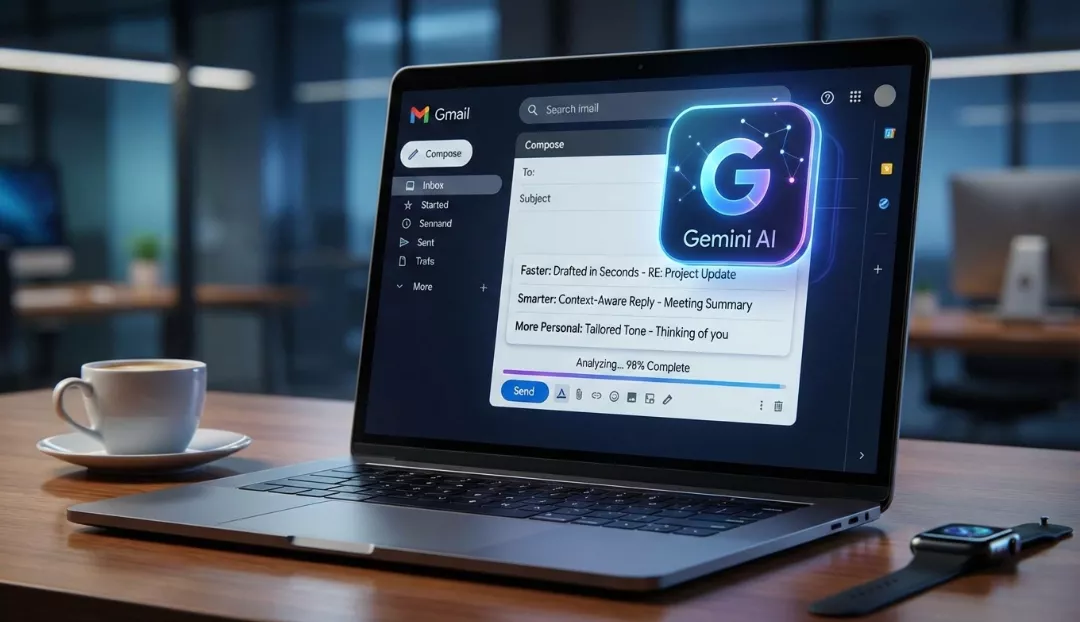
Gmail’s latest integration with the powerful Gemini 3 AI models transforms your inbox from a static storage space into a proactive personal assistant that writes, summarizes, and organizes for you. This major upgrade—rolling out across early 2026—introduces features like AI Overviews for instant thread summarization, Contextual Smart Replies that draft full responses based on previous emails, and a natural language search capability that lets you ask questions like “How much did I spend on the hotel last year?” instead of hunting for keywords. By embedding these capabilities directly into the workflow, Google aims to reduce time spent on email management by up to 40%, making communication significantly faster, smarter, and hyper-personalized to your unique writing style.
The Inbox Evolution: Why This Upgrade Matters
For over two decades, email has remained largely unchanged: a chronological list of digital letters demanding your attention. But as our inboxes have swelled to contain thousands of unread messages, receipts, work threads, and newsletters, the old way of managing email has broken down.
The new Gemini AI upgrade isn’t just a spellchecker on steroids; it is a fundamental shift in how we interact with digital communication. Google has effectively embedded a “thought partner” inside Gmail. Whether you are a busy executive drowning in threads or a freelancer trying to keep track of invoices, Gemini acts as a layer of intelligence that filters the noise and highlights what actually matters. This isn’t about replacing human connection—it’s about clearing the clutter so you can focus on the connections that count.
Faster: Blazing Through the Backlog
The most immediate impact users will notice is speed. The “Faster” aspect of the Gemini upgrade focuses on two major pain points: reading long threads and clearing the queue.
1. Instant Summaries with AI Overviews
We’ve all been there: you’re copied on a project thread that has been active for three weeks. There are 45 replies, attachments, and side conversations. catching up would take 20 minutes. With the new upgrade, a “Summarize this email” button sits at the top of threads. Powered by the new Gemini 3 Flash model, it instantly digests the entire conversation. It doesn’t just shorten the text; it identifies:
- Key Decisions: What was actually agreed upon?
- Action Items: Who needs to do what?
- Open Questions: What is still unresolved?
It turns a wall of text into a scannable bulleted list in seconds, allowing you to get the “gist” without the scroll.
2. Contextual Smart Replies
The old “Smart Reply” gave us robotic suggestions like “Yes, thanks!” or “I’ll take a look.” The new Contextual Smart Reply is different. It reads the email you received, understands the context of the relationship, and drafts a complete, nuanced response.
If a colleague asks, “Are we still on for the 2 PM meeting, and do you have the Q4 report?” Gemini won’t just suggest “Yes.” It will draft: “Hi [Name], Yes, the 2 PM meeting is still on. I’ve attached the Q4 report you asked for. See you then!” You simply review, tweak if necessary, and hit send. This feature alone can shave hours off a work week.
Smarter: Your Inbox as a Database
Perhaps the most futuristic aspect of the upgrade is how it changes search. Historically, finding information in Gmail meant remembering a specific keyword. If you searched “invoice,” you got 5,000 results.
The “Q&A” Experience
Gemini turns the search bar into a chat interface. Because the AI understands natural language and has “reasoning” capabilities, you can ask complex questions about your own data:
- “What was the quote the plumber gave me for the bathroom renovation last year?”
- “When is my flight to Chicago, and what is the confirmation number?”
- “Show me all unread emails from my boss regarding the ‘Apollo Project’.”
Gemini digs through the emails, cross-references dates and names, and presents a direct answer—not just a list of emails you have to open one by one. It treats your inbox like a well-organized personal library where every fact is instantly retrievable.
The AI Inbox (Trusted Testers)
For select users, Google is testing the “AI Inbox.” This feature proactively sorts your mail not just by “Promotions” or “Social,” but by priority. It can identify a bill due tomorrow, a medical appointment reminder, or a high-stakes client email and pin them to the top with a “Needs Attention” tag. It effectively builds your to-do list for you, ensuring nothing slips through the cracks during a busy week.
More Personal: Writing That Sounds Like You
The fear with AI is often that we will all start sounding like robots. Google has countered this by focusing on voice and tone customization in its “Help Me Write” feature.
“Help Me Write” 2.0
This feature has graduated from a simple drafting tool to a sophisticated writing coach. When you ask Gemini to draft an email, you can now use a slider to adjust the output:
- Formalize: For when you need to sound professional and polite to a client.
- Elaborate: When you need to add more detail to a brief thought.
- Shorten: When you’ve written a ramble and need to be concise.
- “I’m Feeling Lucky”: A creative mode for drafting fun invites or casual catch-ups.
Furthermore, Gemini learns from your editing history. If you frequently use specific sign-offs (e.g., “Best regards,” vs. “Cheers,”) or prefer bullet points over paragraphs, the model adapts. Over time, the drafts it produces require less and less editing because they genuinely sound like you.
Language and Global Accessibility
The upgrade also breaks down language barriers. Gemini can translate threads in real-time within the flow of the email, maintaining the nuance of the original message. If you are communicating with a global team, you can draft in English and have Gemini polish it for cultural clarity, ensuring your message lands effectively regardless of the recipient’s native tongue.
How to Access These Features
As of early 2026, Google is rolling these features out in tiers:
- Free Gmail Users: Access to basic “Smart Reply” and limited “Help Me Write” features.
- Google Workspace Customers: Full access to enterprise-grade summarization and security features.
- Google One AI Premium / AI Pro Subscribers: This is where the magic happens. Subscribers get the full power of Gemini 3 in Gmail, including the deep Q&A search, complex thread analysis, and the advanced “Proofread” capability that checks for tone and style, not just spelling.
To check if you have it, look for the Gemini Sparkle icon (a star-like symbol) in the top right corner of your Gmail interface or within the “Compose” window.
Addressing the Elephant in the Room: Privacy
With an AI reading your emails to summarize them, privacy is a valid concern. Google has been explicit in its January 2026 updates regarding data security:
- No Ad Training: Google states that Workspace data is not used to train the public Gemini models. Your confidential business emails remain contained within your organization’s tenant.
- User Control: Features like “Smart Features and Personalization” can be toggled off in settings if you prefer the AI not to index your content.
- Enterprise Security: For business users, the same rigorous security standards that apply to Drive and Docs apply to Gemini in Gmail. The AI processes data to help you, but it doesn’t “learn” from your secrets to help others.
The Future of Email
This upgrade signals the end of “email management” as a manual chore. We are moving toward an era of email orchestration. In the near future, we can expect Gemini to take even more autonomous actions—like drafting a reply, scheduling the meeting mentioned in the email to your Calendar, and creating a task in your To-Do list, all with a single approval click.
The goal is to return email to its original purpose: communication, not administration. By handing the administrative burden over to Gemini, we reclaim our time for the work that actually requires human creativity and empathy.
Conclusion
Gmail’s Gemini AI upgrade is more than a flashy new tool; it is a productivity lifeline for the modern user. By making email faster through summarization, smarter through natural language search, and more personal through adaptive writing tools, Google has successfully reinvented the inbox for 2026. Whether you are looking to save an hour a day or just never want to hunt for a flight confirmation number again, this upgrade is ready to work for you.